related post: [Into Assemblers]
# Adding color to code
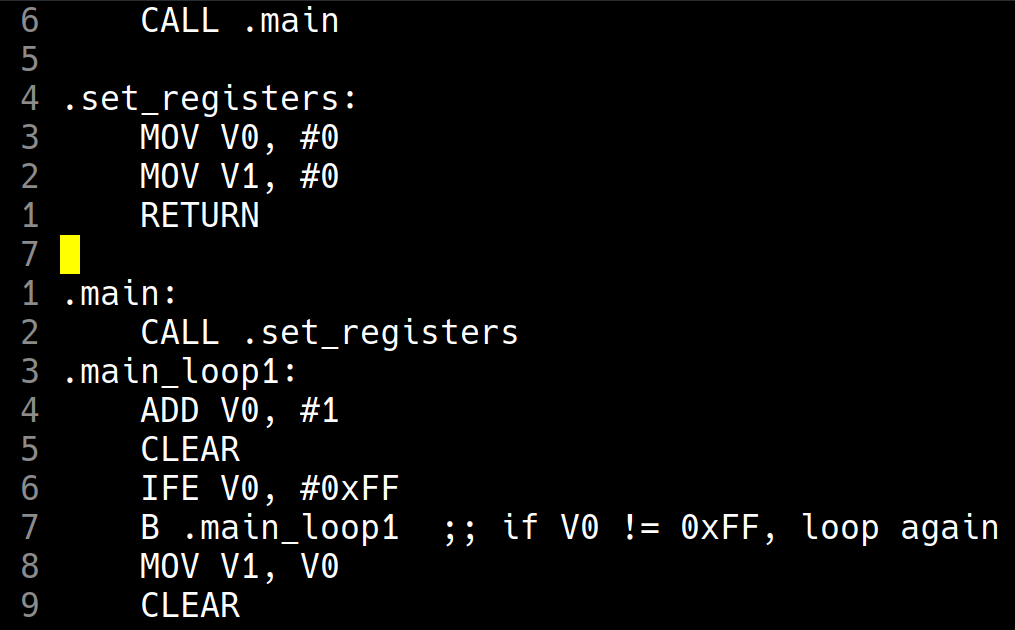
During the final stages of development for my toy [chip-8 assembler], I got sick and tired of staring at the plain white text of Emacs' fundamental-mode when trying out my new language:
Disgusting.
I tried using the default asm-mode to edit my chasm code, but it had too many weird quirks and things I didn't like, the good looks weren't worth the unwieldyness and the way it forced its indentation on me. I decided I'd try to make my own chasm-mode, something simple just to give syntax highlighting to my code, without anything fancy.
I started off by reading the default c-mode source code (`C-h m` to get the documentation on the modes, then clicking on the link to the source files), but very quickly gave up as it was far too long and convoluted for my taste; I didn't feel like reading through all that just to get colors on my MOVs and ADDs. Then I thought of reading [tsoding]'s [simpc-mode]. It's a simple C mode for Emacs which he developped because the default c-mode is far too bloated to browse huge C files with (allegedly, I haven't actually opened any such gargantuan source files to know).
simpc-mode turned out to be true to its name; a very simple and straight-forward single source file that brought syntax highlighting to C, without all the fluff. It was the perfect reference for me to use to implement my chasm-mode, and it had pretty much everything I wanted in it. And so I adapted it to my liking, with the main components being:
- A syntax table. I don't actually fully understand what this does, I tried using Emacs' documentation to understand it but I couldn't find any comprehensive explanation, and I didn't feel like poking around through source code to find out its purpose. The interface used to create said table was easy enough to reason about however, and that's all I really needed:
(defvar chasm-mode-syntax-table
  (let ((table (make-syntax-table)))
    ;; Comments
    (modify-syntax-entry ?\; "<" table)
    (modify-syntax-entry ?\n ">" table)
    ;; Treat underscore as part of a word/symbol
    (modify-syntax-entry ?_ "_" table)
    ;; Constants
    (modify-syntax-entry ?# "." table)
    table))
- A function that returns a list of all the types in the language, in string format, which I completely skipped as my chasm assembler doesn't have types.

- A similar function that contains all the keywords of the language. This one I kept and modified for my language, replacing the C keywords with my mnemonics:
(defun chasm-keywords ()
  `("MOV" "CLEAR" "RETURN" "B"
  ;; .......more mnemonics, with uppercase
  ;; and lowercase versions
  "ssd" "spr" "bcd" "dpr" "ldr"))
- A font-lock function. This is the one part that actually took some effort, I only used simpc as a reference to the syntax and interface. The whole function just returns a list of regex to detect the kind of keyword we're dealing with and how to highlight it (sort of like a lexer):
(defun chasm-font-lock-keywords ()
  (list
   ;; Keywords (Mnemonics)
   `(,(regexp-opt (chasm-keywords) 'symbols) . font-lock-keyword-face)
   ;; Labels
   '("\\.[a-zA-Z0-9_]+" . font-lock-type-face) ;; I put labels as types
   ;; simply because I like the highlighting on that better on my theme
   ;; Constants
   '("#[a-zA-Z0-9]+" . font-lock-constant-face)
   ;; Hex Addresses
   '("\\b0x[0-9a-fA-F]+\\b" . font-lock-type-face)))
Then we have a collection of functions for handling indentation and newlines, which I mostly skipped on my implementation, and ended it with the boilerplate code to provide the major-mode. In this section we overwrite the Emacs defaults with our functions and variables:
:syntax-table chasm-mode-syntax-table
(setq-local font-lock-defaults '(chasm-font-lock-keywords))
;; and so on
The whole thing took about 2 hours to finish, and the [beauty] of Emacs' documentation and integration (and of course, tsoding's brief and readable code) were essential to keep the devtime so short even for someone who isn't particularly fluent in Emacs Lisp. Using C-h f or describe-function to read what modify-syntax-entry did and what its initially cryptic arguments meant was a breath of fresh air, such simple and easy-to-reason-about code and interfaces should be the norm.
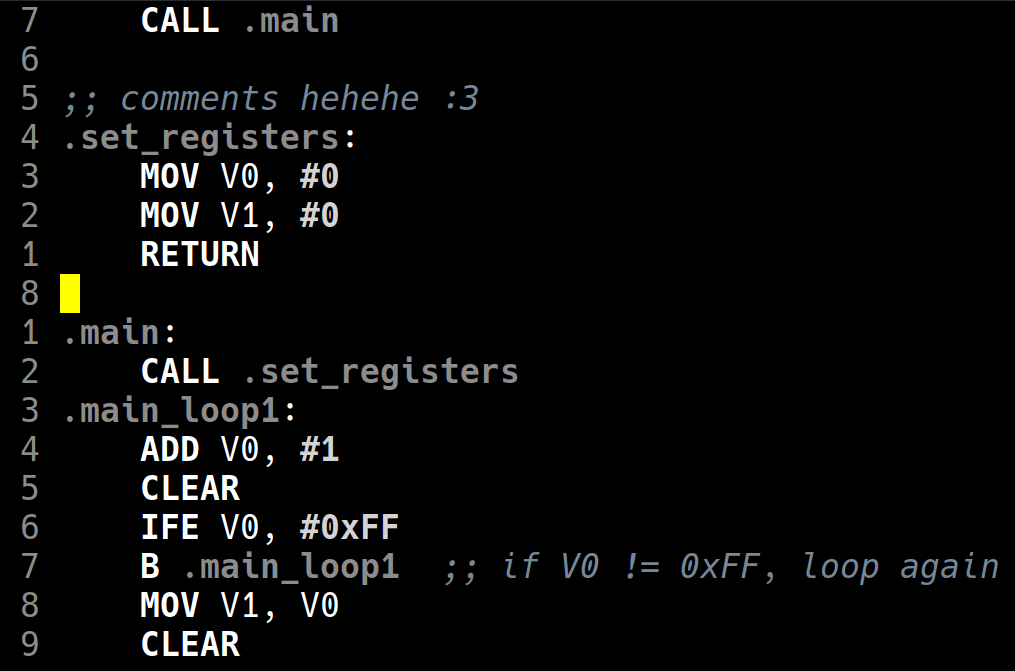
The full implementation of [chasm-mode] is at a wopping 66 lines (counting empty lines and comments), which is well under half what I was expecting it to be when I first thought of this project. And my chasm code actually looks pretty good now:
You might notice there's actually barely any color at all, which would mean the title of this post is a total lie, but I assure you that's just due to my color theme which is literally named [quasi-monochrome].
All in all, I'm pleasantly surprised with how easy this was. This is my first time implementing anything actually useful to Emacs (I have my own homebrew minor mode to overwrite keybindings and such, but nothing beyond that), which is something I long considered ardous and scary and arcane in nature. This simple project was a nice gateway into actual useful elisp, and I'll probably be augmenting my emacs config with more programs such as this one in the future.